


Family feeds: how digital activity is reshaping our connections
August 18, 2026

What does “caught in 4K” mean? Slang explained for parents
July 20, 2026
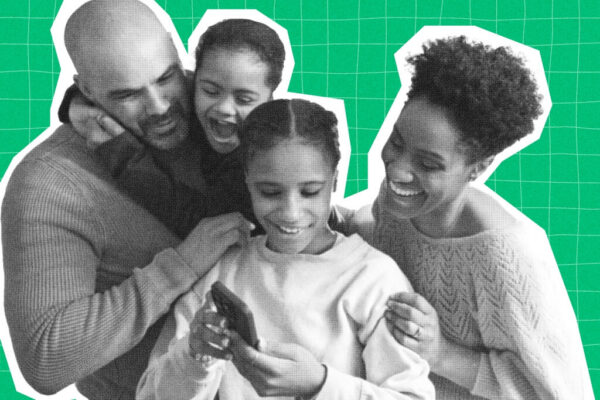
The Connected Family Paradox: How Tech Shapes Communication and Independence
July 21, 2026

Average screen time for teens: What parents should know
July 27, 2026
Kids today are growing up almost entirely online. According to the Pew Research Center, 96% of U.S. teens use the internet every day and nearly half say they are online “almost constantly” — a share that has roughly doubled in a decade. With 95% of teens having access to a smartphone and 70% to a tablet at home, the question for parents is no longer whether children will go online, but how to help them do it safely.
This guide covers what internet safety for kids actually means, the risks worth understanding, the rules that matter most, and how those rules should change as your child grows.
What Is Internet Safety for Kids?
Internet safety for kids is the practice of protecting children from the risks they encounter online — and teaching them the habits and judgment to protect themselves. It combines two things working together: the tools and boundaries adults put in place (parental controls, content filters, screen-time limits, open lines of communication) and the skills children build over time (recognizing scams, guarding personal information, knowing when to walk away and ask for help).
Good internet safety isn’t a single conversation or a one-time setting you switch on. It’s an ongoing process that grows alongside your child’s independence.
Why Internet Safety Matters for Kids
Children face online risks that adults often don’t, largely because of who they are developmentally. The U.S. Cybersecurity and Infrastructure Security Agency (CISA) notes that kids are uniquely vulnerable because of their natural innocence, curiosity, desire for independence, and fear of getting in trouble — exactly the traits that scammers and predators look to exploit.
At the same time, adolescent brains are still developing well into the mid-twenties. Young people are more reactive to social and emotional pressure and more prone to impulsive choices than adults are. That combination — heavy internet use plus a developing brain — is why proactive guidance matters so much.
The stakes are real. Research has repeatedly linked heavy social media use among teens to higher rates of anxiety, depression, and disrupted sleep. The goal of internet safety isn’t to scare families away from technology, which offers genuine benefits for learning, creativity, and connection. It’s to manage the risks so the benefits can come through.
The Online Risks Kids Face
Before setting rules, it helps to know what you’re guarding against. The most common online risks for children include:
- Inappropriate content. Graphic, violent, or sexual material is easy to stumble onto, even by accident through a mistyped search or a bad link.
- Cyberbullying. Harassment that follows kids home through social media, group chats, texts, and gaming voice channels.
- Online predators. Adults who build trust using fake profiles on games and social platforms, often over weeks or months.
- Scams and phishing. Fake messages, “free” download offers, and clickbait designed to steal passwords or personal details. Children’s trusting nature makes them easy targets.
- Privacy loss and identity theft. Kids are prime targets for identity theft because their clean credit histories can go unmonitored for years.
- Misinformation. Not everything online is true, and kids need to learn to question sources.
Internet Safety Rules for Kids
These foundational rules apply to almost any child old enough to use a connected device. Introduce them early, keep them simple, and revisit them often.
- Keep personal information private. Full name, home address, school name, phone number, and daily schedule should stay off public profiles and out of conversations with people they don’t know in real life.
- Guard passwords. Passwords should be long (12+ characters), unique to each account, and never shared with anyone except a parent — not even a best friend.
- Think before posting. Once a photo or comment is shared, it’s nearly impossible to take back. A good test: would they be comfortable with a grandparent or future employer seeing it?
- Only connect with people they know. Friend requests and follows should come from people they know offline. Anyone online can claim to be someone they’re not.
- Don’t click suspicious links or pop-ups. Clickbait quizzes, “you’ve won” offers, and unexpected download prompts are common ways scams and malware spread.
- Never download without permission. Apps, games, and files should get a parent’s okay first.
- Cover the webcam when it’s not in use. A small piece of tape is a cheap, effective safeguard against unauthorized access.
- Keep devices in shared spaces. Internet use in the kitchen or living room — rather than behind a closed bedroom door — naturally encourages safer choices.
- Stop and tell an adult when anything online feels confusing, scary, or uncomfortable. Make clear this is always the right move and never something they’ll be punished for.
- Log out and keep software updated. Signing out of shared devices and installing updates promptly closes off easy security gaps.
Internet Safety by Age
There’s no one-size-fits-all approach. As your child’s independence grows, your strategy should shift from hands-on control toward coaching and trust.
Early Childhood (Ages 2–6)
At this stage, the internet should be a fully supervised, walled garden. Stick to curated apps and services built for young children, such as YouTube Kids, and co-view whenever possible. The American Academy of Pediatrics recommends keeping non-educational screen time limited for young children, so quality and quantity both matter here.
Elementary School (Grades K–5)
Kids start playing simple games and watching more videos independently. They still need heavy supervision and clear boundaries.
- Keep all internet use in common areas where you can see the screen.
- Turn on safe-search filters on Google and YouTube.
- Hold the passwords needed to download apps or make purchases yourself.
Middle School (Grades 6–8)
This is when many kids ask for social media accounts and want more independence. It’s the right time to teach critical thinking.
- Set up new social accounts together and switch privacy settings to the most protective option.
- Talk about digital footprints — that what they post can be seen by schools and, eventually, employers.
- Introduce cyberbullying directly: how to recognize it, and why reporting beats retaliating.
High School (Grades 9–12)
Teens are nearly young adults navigating a complex digital world. Your role shifts from monitor to trusted advisor.
- Discuss real-world consequences: phishing, identity theft, and scams aimed at their age group.
- Teach password managers and two-factor authentication (2FA).
- Respect their growing need for privacy, stepping in mainly when you see genuine red flags.
How to Set Up Parental Controls and Filters
Parental controls let you monitor, filter, and limit what your child can see and do online. They’re a safety net, not a substitute for conversation — but they’re a valuable layer. Most major platforms offer free, built-in tools:
- Apple Screen Time sets content and privacy restrictions on an iPhone or iPad — blocking explicit content, limiting downloads and purchases, and capping time on apps.
- Google Family Link lets you monitor activity, manage privacy settings, and set time limits on Android devices and Chromebooks.
- Microsoft Family Safety works with the Edge browser to filter content, set screen-time limits, and monitor activity on Windows and Xbox.
- YouTube offers supervised settings by age, plus the separate YouTube Kids app for younger children.
A few setup habits strengthen your whole home network: change the default password on your Wi-Fi router, enable filters at the device and browser level, and keep every family device updated with the latest security patches.
One honest caveat: motivated kids can sometimes bypass parental controls, and no filter catches everything. Treat them as one part of a bigger plan that leans heavily on trust and ongoing dialogue.
Cyberbullying: How to Spot It and Respond
Cyberbullying is bullying that takes place online — in group chats, on social media, in games, and through direct messages. It can mean cruel or threatening messages, spreading rumors, sharing embarrassing photos, or impersonating someone. Unlike in-person bullying, it can follow a child everywhere and often leaves a written record.
Warning signs that a child may be experiencing cyberbullying include becoming withdrawn, sudden mood changes, anxiety around their devices, secrecy about online activity, or quickly hiding the screen when an adult walks by.
If your child is being bullied online:
- Reassure them first. Make sure they know you’re glad they told you and that you’ll help.
- Don’t retaliate — tell your child not to respond to the bully.
- Document the evidence with screenshots of messages and posts.
- Use the platform’s tools to block and report the account.
- Loop in the school if a classmate is involved, and contact law enforcement if the behavior is severe or threatening.
Online Predators and What Not to Share
It’s an uncomfortable truth that some people online intend to harm children. Predators often pose as peers and build trust slowly before attempting to isolate a child or move the conversation to a private channel.
Have ongoing, calm conversations about “tricky people” — adults who try to earn a child’s trust in order to hurt them later. Teach your child to trust their gut when something feels off, and reinforce the list of details that should never be shared with someone online: home address, school, phone number, passwords, parents’ full names, and their location.
On location specifically, walk through the location settings on each of your child’s apps and turn off location sharing. If anyone online ever makes your child uncomfortable, the response is simple and consistent: don’t reply, block and report the person, and tell a trusted adult.
When Kids Encounter Inappropriate Content
Despite filters, kids do sometimes run into content they aren’t ready for. How you react shapes whether they’ll come to you next time.
Stay calm and reassure them they’re not in trouble. Ask how they found it so you can block the source, then take a moment to tighten your content filters. Use the moment as a low-key teaching opportunity about why we avoid unfamiliar links — not as grounds for punishment.
How to Talk to Your Kids About Internet Safety
The single most protective thing a parent can do is keep communication open. Children who feel safe bringing problems to a parent are far more likely to ask for help when something goes wrong.
A few approaches that work:
- Make it a dialogue, not a lecture. Ask your child to show you their favorite apps and games. Stay curious rather than accusatory.
- Be specific about expectations. Decide together when and where devices are allowed — at bedtime? at meals? before homework? — so the rules are clear.
- Plan offline time. Identify screen-free activities your family enjoys and schedule them, so online time doesn’t quietly expand to fill the day.
- Stay flexible. As kids grow, revisit rules that have become outdated, and be ready to adjust.
Frequently Asked Questions
What is internet safety for kids? Internet safety for kids means protecting children from online risks — like inappropriate content, cyberbullying, predators, and scams — while teaching them the habits and judgment to stay safe on their own. It combines parental tools (filters, controls, limits) with skills kids build over time.
Why is internet safety important for kids? Children are more trusting and impulsive than adults and have developing brains, which makes them more vulnerable to online manipulation and to the mental-health effects of heavy use. Teaching internet safety reduces those risks while preserving the benefits of being online.
What are five internet safety rules for kids? Five core rules: keep personal information private, use strong and unique passwords, only connect with people you know in real life, don’t click suspicious links or download without permission, and always tell a trusted adult when something online feels wrong.
At what age should kids learn about internet safety? As soon as they begin using any connected device. Lessons should be simple for young children (supervised use, curated apps) and grow more sophisticated through the teen years (privacy settings, scams, digital footprint).
How do I teach my child about internet safety? Keep it conversational and ongoing rather than a single talk. Explore their apps together, set clear and specific expectations, model good habits yourself, and make sure your child knows they can always come to you without fear of punishment.
Internet safety is a moving target — devices, apps, and risks keep changing. The most reliable protection isn’t any single setting, but a child who knows the rules, understands why they matter, and trusts that a caring adult is in their corner.

More than a cellular company—Gabb is a movement to connect kids to what matters most with safe technology solutions.



Success!
Your comment has been submitted for review! We will notify you when it has been approved and posted!
Thank you!