Girl doing a peace sign at a phone while taking a selfie
Life Online
5 min read

Snapchat Parental Controls: What They Can (and Can’t) Do

By Robert Milligan

How Effective is Snapchat’s Family Center for parents in 2025?

Updated – Originally published September 8, 2022

“But everyone uses it, Mom.”

If your tween or teen is begging for Snapchat, you’re not alone. For many kids, Snapchat isn’t just a social app—it’s the way they text. It’s their digital hangout. And the way they make plans. 

And if you’re a parent who’s hesitant? Also not alone.

Snapchat is known for disappearing messages, anonymous Q&As, and private friend groups—all features that can make it tricky for parents to know what’s really happening on the app. But there’s good news: Snapchat has finally taken steps to give parents more visibility and control.

Let’s walk through what Snapchat’s parental controls actually offer—and where they still fall short.

What Is Snapchat’s Family Center?

Snapchat’s Family Center is their built-in suite of parental controls. It’s available through the Snapchat app itself and allows you to:

See Your Child’s Friends

You’ll be able to view who your teen is connected with on Snapchat—important, since messaging is usually limited to friends.

See Who They’ve Messaged (But Not What Was Said)

dad realizing his daughter is sad from bullying on snapchat

You can view a list of accounts your child has chatted with in the past 7 days, including group chats. You can’t read the messages themselves (those are still private), but you’ll see interaction patterns.

Report Concerns

If someone’s behavior looks suspicious or inappropriate, Family Center allows you to flag it for review.

Control Some Features

You can limit your teen’s ability to see and be suggested to others on Snapchat, disable sensitive content in Spotlight and Search, and restrict friend suggestions.

What Snapchat Parental Controls Don’t Do

Here’s where things get a little less encouraging—though not hopeless.

No Message Monitoring

You won’t be able to read messages, view photos, or see videos shared—even in cases of bullying or inappropriate content.

No Screen Time or Usage Limits

Snapchat doesn’t allow parents to set time limits or lock the app remotely. You’ll need built-in phone settings (like Apple Screen Time or Google Family Link) to help manage time boundaries.

Kids Can Remove You

When you send a request to link accounts through Snapchat’s Family Center, your child must approve it before any supervision begins. But even after it’s accepted, they can remove your access at any time—and Snapchat won’t notify you if they do.

In short: Even with every safety feature turned on, Snapchat still puts most of the responsibility on your child. That’s why regular conversations—not just controls—are essential.

What Age Is Snapchat Actually For?

Snapchat’s official age minimum is 13, but that doesn’t mean it’s a great fit for every 13-year-old.

Common Sense Media recommends Snapchat for ages 16+, citing disappearing messages, sexual content, and pressure to maintain Snapstreaks as major concerns.

kids in descending age order from a teen down to a toddler

Even with parental controls turned on, Snapchat gives users access to group chats, location sharing, private messaging, and content that isn’t always age-appropriate. That’s a lot of social and emotional complexity for middle schoolers who are still figuring out boundaries, empathy, and impulse control.

If you feel like your child isn’t ready? That’s valid. And worth holding the line.

How Snapchat Shapes Teen Behavior

Snapchat isn’t just a messaging app—it’s a behavioral feedback loop. Features like Snapstreaks, disappearing messages, and public Snap Scores are designed to keep kids coming back.

And it works. 

Pew Research reports that 60% of U.S. teens use Snapchat, with about 14% saying they use it almost constantly. Many teens feel pressure to send a photo (any photo!) every day just to maintain a streak. Others feel anxious if a message disappears before they can screenshot it. And the visibility of Snap Scores can turn communication into a popularity contest.

Understanding how the platform drives behavior helps you guide your child with more empathy—and more effectiveness.

Conversation Starters for Parents

mom and daughter both looking at cellphone

Parental controls are a great tool—but real safety depends on real conversations. If you’re not sure how to get those rolling, here are a few low-pressure starters:

  • “What do you like most about Snapchat?”
  • “Do you feel like you have to respond to people right away?”
  • “Have you ever seen something weird or uncomfortable on there?”
  • “What do you think someone should do if they’re being harassed?”
  • “Do you feel like it’s easy to tell who you can trust on social media?”

Don’t worry about having all the answers. Your job is to stay curious, calm, and connected.

Snapchat Red Flags to Watch For

Even with controls in place, Snapchat can create emotional stress for some teens. Keep an eye out for signs like:

  • Sudden changes in friend groups
  • Anxiety around losing their phone
  • Secrecy about who they’re talking to
  • Late-night messaging or sleep problems
  • Mood swings tied to online drama

None of these mean something bad is happening—but they’re signals worth checking in about.

How to Set Up Snapchat Family Center

Setting up parental controls on Snapchat is pretty straightforward. Here’s how:

  1. Download Snapchat (yes, you’ll need your own account).
  2. Open the app > Tap your profile icon > Tap ⚙️ Settings
  3. Scroll to Family Center
  4. Tap “Invite” and search your child’s Snapchat username
  5. Once they accept, your accounts will be linked

From there, you can view friend lists, see who they’ve messaged recently, adjust content settings, and report concerns.

Tools That Can Help You Go Further

Snapchat’s Family Center is a helpful start—but it works best when combined with other tools that support healthy phone use.

mom and son smiling as they take a selfie together

Use device-based screen time tools like Apple Screen Time or Google Family Link to set time limits or enforce app downtime.

Use location tracking and content controls at the system level—not just app level.

Looking for a safe way to message instead?
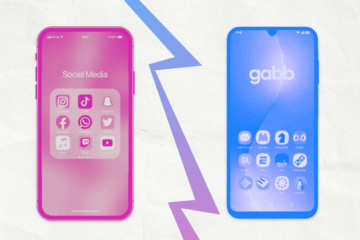
For families who aren’t ready for social apps like Snapchat, Gabb Messenger offers texting, group chat, and even photo sharing—with parent-approved contacts and no access to strangers or vanishing content.

Final Thoughts for Parents

Snapchat’s parental controls won’t solve everything. But they can give you valuable visibility and a reason to keep the dialogue open.

Whether you’ve said yes, no, or not yet, your involvement matters more than any setting or filter.

Because the best protection your child has isn’t an app—it’s you.

Join the Conversation

Have you tried Snapchat’s parental controls with your teen? Thinking about saying yes—or holding the line? We’d love to hear what’s working (and what’s not) in your family. Drop a comment below to share your experience or ask a question. Let’s navigate this together.

Snapchat parental controls explained for parents. Infographic outlines limits of Snapchat Family Center, including teen consent, no access to message content, and why Snapchat isn't built for parental monitoring. Image shows a mom and daughter using a phone together.

Let Us Come to You

Subscribe to the Gabb newsletter to get the top tech safety ideas, stories, and tips.

Comments

Leave a comment

Your email address will not be published. Required fields are marked *

Success!

Your comment has been submitted for review! We will notify you when it has been approved and posted!

Thank you!