



Raise your hand if you’ve ever had a kid teach you something about your smartphone (🙋🏻♂️).
Kids take to modern technology like its second nature. It’s exciting to think about what the next generation might create and what problems they might solve. But, as a parent, it can also be a little nerve-wracking in the moments we realize our kids are better at navigating our devices than we are.
Incognito mode (also known as private browsing mode) is a perfect example of this. It’s a common feature in most web browsers (including all the most popular ones) but many parents aren’t aware it exists, let alone what it does or how it can be problematic.
What Is Incognito Mode?
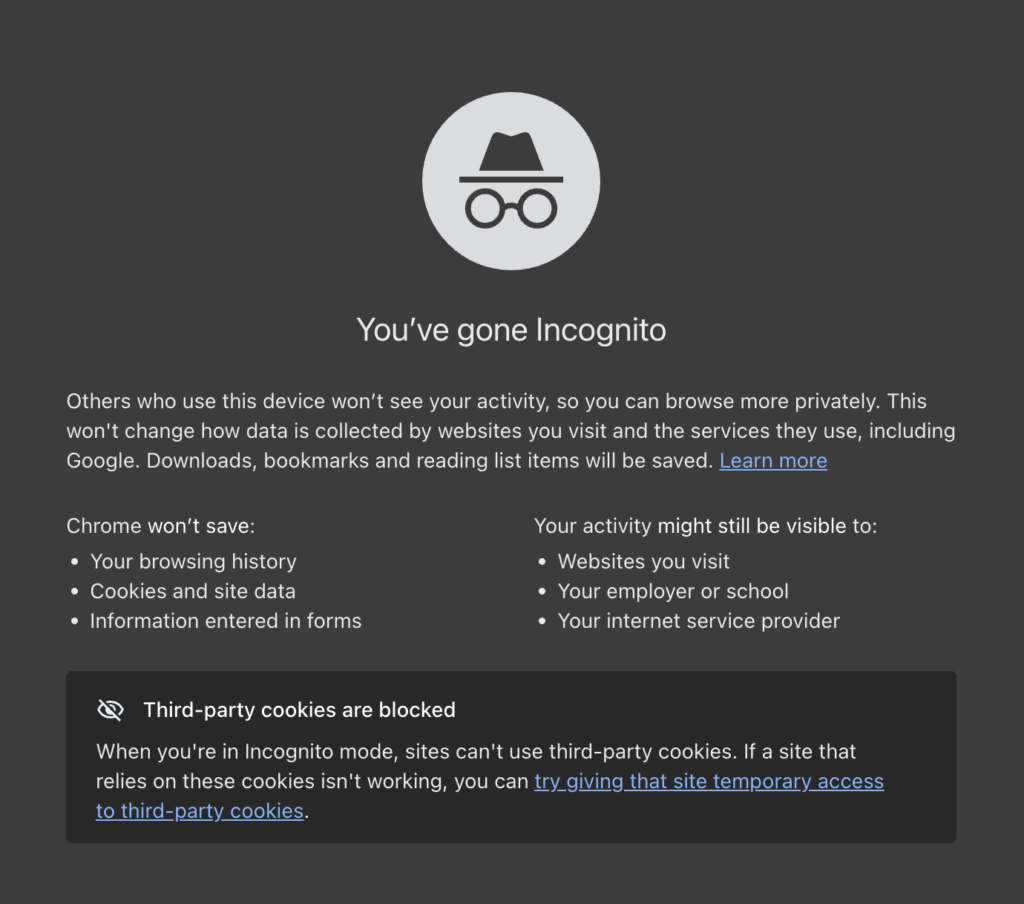
At its core, incognito mode is a browser setting designed for private browsing. When activated, it doesn’t save your search history, cookies, site data, or login information on the device you’re using.
This feature is most commonly associated with Google Chrome, where it’s called Incognito Mode and opens in a sleek, dark-themed window. But it’s not unique to Chrome. You’ll find similar options in other browsers:
- Safari calls it Private Browsing.
- Firefox also offers it as Private Browsing.
- Microsoft Edge calls it InPrivate browsing.
How to Turn on Private Browsing
Using private browsing is pretty simple once you know what it is and what to look for. Let’s break it down for the two most common browsers: Google Chrome and Safari.
Other browsers, like Edge, Firefox, or Samsung Internet will follow similar steps.
Google Chrome Incognito
Google Chrome is the most popular internet browser on both desktop and mobile devices, so we’ll start there.
Desktop
- Click the three-dot menu in the top right and select “New Incognito Window.”
- You can also find it through the top menu under “File.”
Mobile
- Tap the three-dot icon (usually in the top right corner).
- Tap “New Incognito Tab” from the menu. A new tab will open, and you’ll see an incognito icon near the address bar.
- To switch back to regular browsing, tap the “Switch Tabs” button (it looks like two overlapping squares), and close the incognito tab.
Safari Incognito
Safari is the default browser on all Apple products—iPhones, iPads, MacBooks, etc. It’s far less popular than Google Chrome but far more popular than the 3rd, 4th, and 5th place browsers. Here’s how to activate Private Browsing by device on Safari.
Desktop
- Open Safari
- In the top menu bar, click on “File”.
- Click “New Private Window” from the dropdown menu.
- A new Safari window will open with a dark Smart Search field and white text, indicating it’s in Private Browsing mode.
Mobile
- Open the Safari app
- Tap the “Tabs” icon (overlapping squares)
- Swipe or click to the “Private” tab group
- Tap the + button to open a new private tab. When Private Browsing is active, the Safari address bar will appear dark.
What Incognito Mode Doesn’t Do
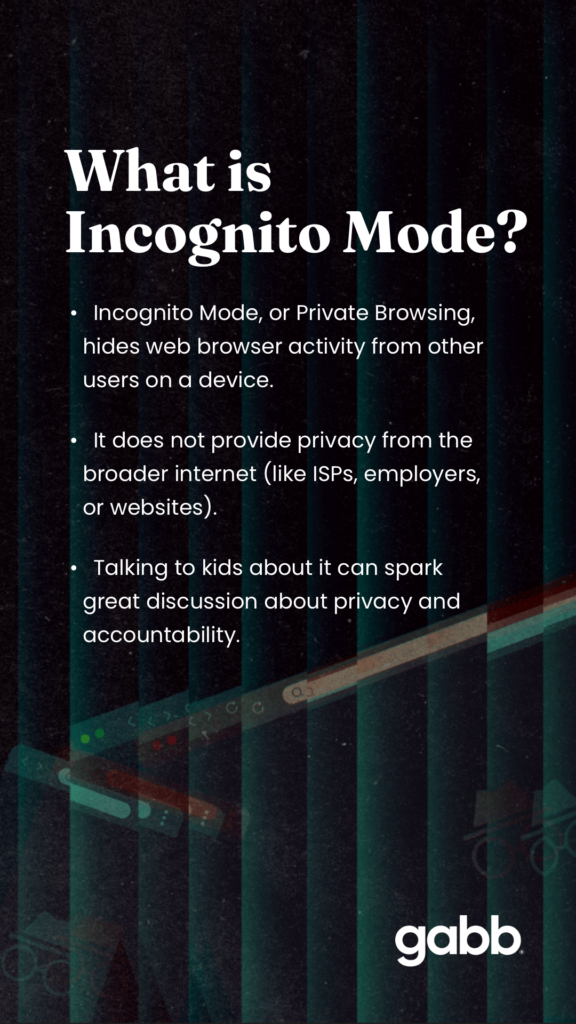
It’s important to understand that incognito mode doesn’t make you invisible online. It only hides your activity from others who might use the same device. Your actions are still visible to the wider web:
- Internet service providers (ISPs), who can see what sites you’re visiting.
- Schools, libraries, or employers if you’re on their networks and they monitor traffic.
- Websites themselves, which can track your IP address, location, and more.
Private browsing also doesn’t block ads, trackers, or malware. Cookies from previous sessions might not carry over, but new ones can still be created during your incognito session. It doesn’t provide anonymity like using a VPN or Tor browser.
How to see History in Incognito
The short answer: you can’t see history in incognito mode — at least not on the device itself, because it isn’t saved.
Pro Tip for Parents: Incognito ≠ Safe or Private
Private browsing just covers your tracks on the device, not from the internet. This can give a false sense of security. Knowing this can be helpful in sparking conversation with your child about real online privacy.
Why Kids Might Use Incognito Mode
Kids are smart and curious. If they don’t already know how to use it, it won’t take much for them to figure it out. Incognito mode might appeal to them as a tool for exploring the internet without oversight. Common reasons include:
- Hiding searches or sites from parents or siblings to avoid questions or restrictions.
- Bypassing parental controls or accessing blocked websites that might be off-limits.
- Signing into social media or gaming accounts they don’t want you knowing about.
- Avoiding auto-logouts on shared family devices, keeping things “secret.”
That doesn’t mean that a kid’s use of private browsing is always nefarious — sometimes it’s just about feeling independent. But it can lead to risky behaviors, like stumbling into inappropriate content, if unchecked. The good news is that recognizing these motivations opens the door for honest talks about trust and safety.

Signs Your Child Might Be Using Incognito Mode
Spotting incognito use isn’t always obvious, but here are some clues to watch for.
- Browser tabs with black or dark themes (Chrome’s Incognito has that spy-like vibe).
- An unusually clean or empty browser history, even after heavy use.
- Familiar sites not auto-suggesting searches or staying logged in.
- A sudden interest in browser settings, shortcuts, or “how to open private tab” queries.
It’s best to approach the situation as an opportunity to connect and discuss, not spy and lecture. If you notice these signs, it could be a good cue to chat openly. Most kids respond better when we approach with understanding.
Can Parents Disable Incognito Mode?
Yes, there are ways to limit or disable private browsing, depending on the device or browser. None of them are foolproof, but they can function as an additional guardrail that could be useful for your kid.
How to Disable Incognito Mode For Google Chrome
Use Google Family Link to manage settings, including disabling incognito mode and other web browsing restrictions.
How to Disable Incognito Mode For Safari
Apple’s parental controls all stem from their Family Sharing feature. Once enabled, follow these steps:
- Navigate to Settings > Screen Time
- Toggle on Content & Privacy Restrictions
- Tap on Content Restrictions > Web Content
- Select Limit Adult Websites, which should effectively disable the option to open private browsing windows in Safari, as well as restrict access to adult websites.
Gabb Devices
Gabb Phones don’t allow Incognito Mode at all. Designed with kids in mind, Gabb devices focus on essential features without the extras that kids don’t need and aren’t ready for.
What Parents Can Do About Incognito Mode
Feeling overwhelmed? I get it. It can feel like every day brings a new online danger we’re tasked with protecting our kids from. But you’re already doing a big chunk of the work by staying informed. Here are some ideas on what to do now:
- Have the conversation: Talk openly about why privacy matters, and explain the risks of full anonymity online. Try to frame it positively: “We’re a team in keeping you safe.”
- Set expectations: Make family tech rules simple and clear, emphasizing transparency as a value, not a restriction.
- Use kid-safe tech: If private browsing seems like too big a risk for your kid at this stage, opt for devices like Gabb Phone that prioritize safety by omitting features like incognito mode from the start.
- Regular device checks: Approach this as a routine, like checking homework—not punishment. It builds habits of accountability.
Key Takeaway
Incognito mode isn’t evil. It’s just a tool. And like any tool, its impact depends on how it’s used. For families building safe, open digital habits, understanding what incognito does (and doesn’t do) is empowering. By staying informed, communicating honestly, and choosing thoughtful tech solutions, we can guide our kids through the online world with confidence and optimism.
What do you think? Any questions you still have about incognito mode? Any tips for other parents on how to have successful conversations with kids about online dangers? Comment below.

Jake was Gabb Now's first managing editor and now contributes as a guest author. He and his wife have three wild little boys. His own writing has been published by Esquire, Forbes, Elsewhere, Iron Horse Literary Review, and others.


Success!
Your comment has been submitted for review! We will notify you when it has been approved and posted!
Thank you!