
AI-generated content is on the rise. It shows up in emails, Instagram captions, TikTok videos, customer service chats, and even restaurant reviews written by bots that have never eaten a meal. Some people are even forming emotional relationships with AI.
As AI tools get smarter, it is becoming harder for families, especially kids, to tell what is real and what is not. The good news is that once you know the signs, identifying them becomes much easier.
This guide walks you through how to recognize AI-generated text, images, and videos so your kids stay aware and safe online.
How to tell if something is written by AI
Many parents want to know how to identify AI generated text, and the good news is that there are clear signs once you know what to look for. If you want a simple breakdown of terms like “deepfake” or “language model”, our AI glossary is a great place to start.
AI texts often look polished at first, but there are simple clues that help you tell the difference between human written content and AI-generated text. Many of these clues show up again and again in AI writing, because AI tools rely on patterns rather than personal experience or real-world nuance.
1. Repetition or inconsistencies
AI sometimes repeats the same phrases, shifts topics suddenly, or includes odd sentences that do not fully make sense.
2. Missing context
AI can struggle with the bigger picture. If the writing feels off, misses key details, or gets facts wrong, it may be automated.
3. No personal touch
Human writing includes memories, opinions, and real experiences. AI tends to sound basic, formulaic, or overly general.
4. Too many buzzwords
AI often uses jargon or generic vocabulary to fill gaps. The writing may feel corporate or overly polished.
5. Perfect grammar every time
Even strong writers make small mistakes or break rules for personality. AI tends to keep everything neat and tidy.
6. Instant long responses
If a long message appears immediately in a chat, it may have been produced by a bot or AI assistant.
7. Placeholder text
Phrases like “insert name here” or missing details can show the text was generated automatically.
8. Suspicious or unreliable citations
AI tools sometimes add citations that look real but go to incorrect or unrelated sources.
How to tell if an image is AI-generated
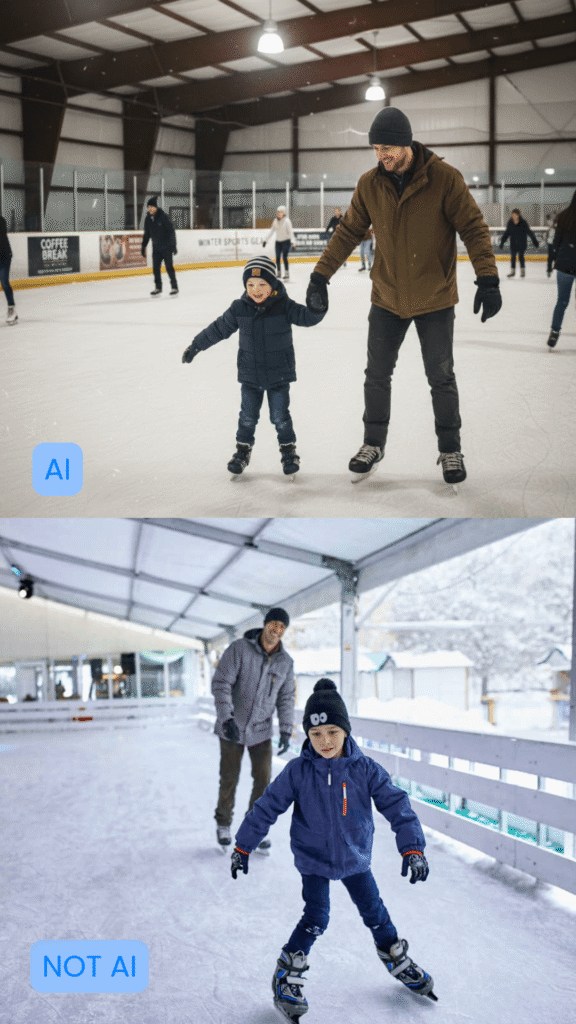
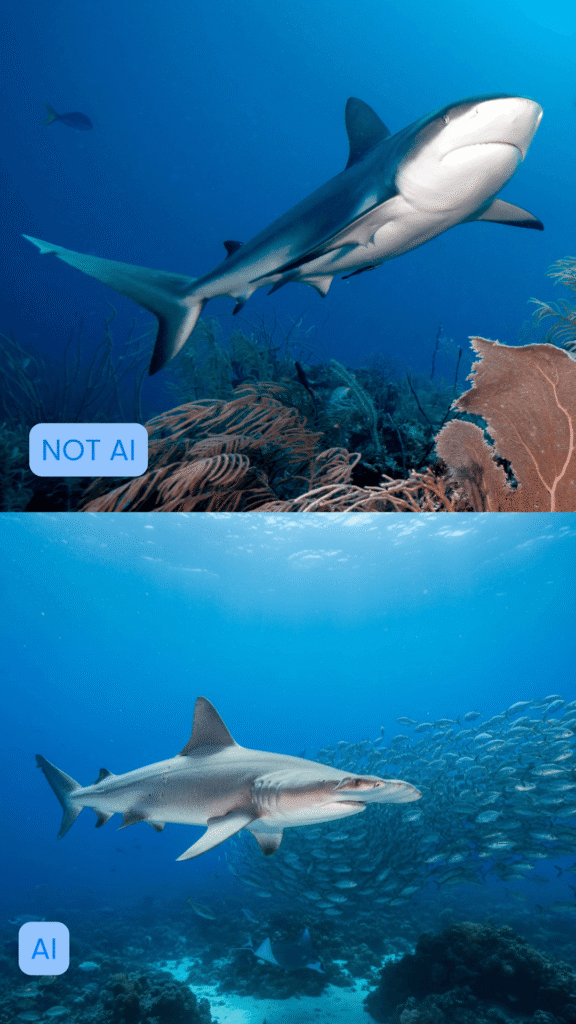
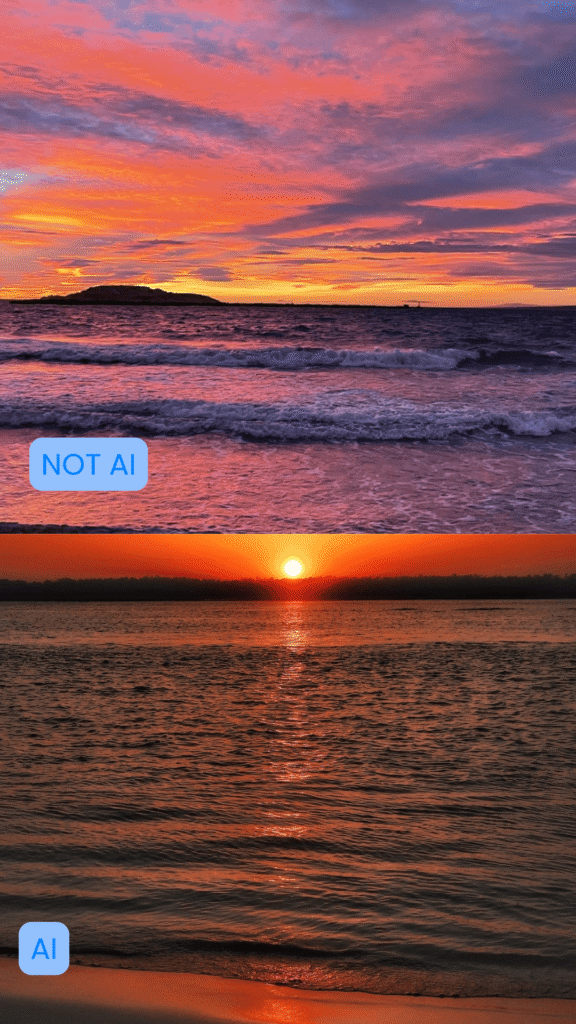
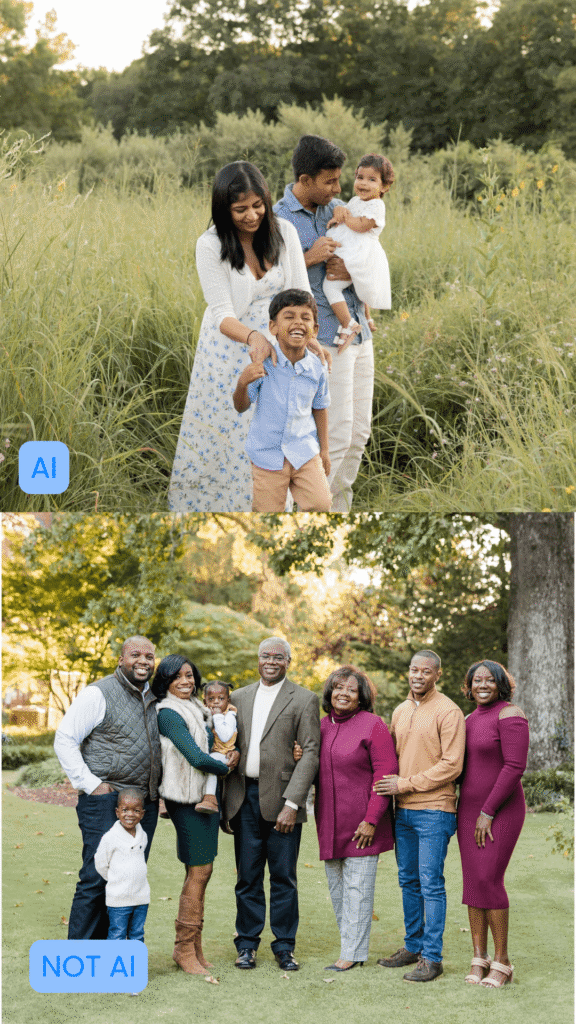
AI images can look impressively realistic, but there are visual clues that help you spot when something is off.
1. Hands, fingers, or limbs look distorted
Extra fingers, blended knuckles, stretched hands, or limbs that bend unnaturally are common AI glitches.
2. Lighting and shadows do not match
AI often struggles with consistent shadows, reflections, or light direction. Parts of the image may feel “off” or uneven.
3. Background details appear melted or warped
Look for signs like crooked doorframes, warped text, strange patterns, or scenery that does not follow a normal perspective.
4. Odd textures on skin, hair, or clothing
AI sometimes produces smooth, plastic-looking skin, blurry hairlines, or fabric that looks melted or overly shiny. One trick to tell if an image is real or not is to look for irregularities in the skin.
If a person has blemishes, acne, scars, or non-uniform freckles, they are more likely to be real.
5. The eyes look strange
AI sometimes creates overly sharp eyes, mismatched pupils, or reflections that do not make sense.
6. The image feels “too perfect”
If a photo looks flawless, airbrushed, overly symmetrical, or unrealistically polished, it could be AI-generated.
How to tell if a video is AI-generated
Deepfake videos are rising fast. One report found that the number of deepfake videos online has increased by 550% since 2019, which makes it harder than ever for teens to know what is real and what has been digitally manipulated.
Glitches are becoming harder to notice as AI tools get more advanced, but AI videos and deepfakes still have small tells. Here are quick signs that help you tell when something is not real:
1. Lip movements do not match the words
The mouth may look slightly out of sync, or the sound may feel detached from the video.
2. Teeth or the inside of the mouth look blurry
AI struggles to generate natural teeth, tongues, and mouth shapes during speech.
3. Blinking looks strange
The person may blink too often, not enough, or in a way that feels unnatural.
4. The head or body moves in a “floaty” way
Movements may feel too smooth, stiff, or disconnected from the rest of the body..
5. Accessories do not stay consistent
Earrings, glasses, necklaces, or even shirt patterns may change shape or swap sides when the subject moves.
6. Lighting or shadows look inconsistent
Shadows on the face or body may not match the background or move naturally.
7. Audio does not match the room
If the voice sounds too crisp or echoes incorrectly, the video may be edited or AI generated.
8. The expression feels unnaturally perfect
AI can create faces that smile or react in ways that do not feel like real human emotion.
Can AI detection tools really tell the difference?
When detecting AI generated content, AI detection tools can be helpful, but they are not always spot on. Parents may also come across an AI content detector online, but these detector tools are not always accurate and should be used with a second look from a real person.
Newer AI language models like ChatGPT, Gemini, and Claude are improving quickly, which makes it harder for detection tools to stay accurate. These tools look for patterns that often appear in AI texts, such as repeated phrases or wording that feels a little too perfect. They are a great starting point, but they work best when paired with your own instincts and a quick second look.
1. AI Detectors can offer helpful clues
AI detector tools look for patterns like repeated phrasing or digital glitches to help identify AI-generated content. They can give parents helpful clues when reviewing schoolwork, emails, or online posts.
2. They are not 100 percent reliable
New AI models like Gemini, Claude, and other advanced tools can sometimes avoid detection. AI detection tools often fall behind as new models improve.
3. They may incorrectly flag human-written content
Sometimes a detector says content is AI-generated even when it was written by a real person. This is especially common with short text.
4. They may miss AI-generated content entirely
AI continues to evolve quickly, which makes it harder for detectors to stay accurate.
5. Human judgment is still essential
Detection tools can support parents, but they should not replace critical thinking. Looking for inconsistencies, false information, or missing context is often more reliable than any automated tool.
Why kids and teens need help spotting AI
Kids and teens spend a lot of time online, and AI-generated content can look incredibly real. Without support, they may trust something simply because it appears polished or convincing.
AI content creates several risks for younger users:
1. Misinformation that looks real
AI written text, images, and videos can present false details or stories in a way that feels believable. Kids may assume it is true simply because it “looks official.”
2. Fake profiles or unsafe interactions
AI images and videos can be used to create fake influencers, scam accounts, or grooming attempts. Realistic photos and polished messages make these profiles harder for kids to recognize as unsafe.
3. Difficulty telling real people from AI-generated content
AI can produce faces, voices, and videos that seem authentic. This makes it easier for kids to assume a real person is behind the screen.
4. Academic challenges
AI tools can tempt students to rely on automated writing for homework or essays. This can affect learning and confidence over time.
5. Emotional pressure and comparison
AI edited images or videos may create unrealistic standards, especially on social media, where everything looks perfectly filtered or staged.
6. Lack of digital literacy
Most kids have not been taught how to recognize AI content. Learning to pause and question what they see helps them stay confident, thoughtful, and safe online.
Raising informed digital citizens
AI is becoming a normal part of the online world, and it can be tricky to tell what is real and what was created by a model. The good news is that with a little practice, kids can learn to pause, look closer, and question what they see instead of taking everything at face value.
Helping kids understand AI does not need to feel overwhelming. Simple conversations about what looks real, what seems off, and how to double-check information can build strong digital habits that last.
Gabb devices can also support families by limiting access to unsafe platforms and helping kids stay connected in safer, age-appropriate ways.
What about your family? Have your kids asked about AI content, deepfake videos, or “perfect” photos online? What signs have you noticed together?
Success!
Your comment has been submitted for review! We will notify you when it has been approved and posted!
Thank you!